
Meet JC-Preditor V1.0: Professional Motion Graphics Video Editor, Directly in Your Browser
Meet JC-Preditor
Let’s be honest: web-based video editors usually have a reputation for being clunky, laggy, and heavily reliant on cloud servers that hold your personal media hostage. If your internet connection dips, your timeline freezes. If your browser lags during export, your final video drops frames. Unlike heavy cloud-dependent tools like Canva, CapCut, or WeVideo, JC-Preditor was built to bypass server lag entirely.
That is exactly why JC-Preditor was built.
We stripped away the bloat of traditional desktop software and bypassed the limitations of standard web tools to create a lightning-fast, professional motion graphics editor that runs entirely in your browser.
Here is what makes JC-Preditor V1.0 a fundamentally different editing experience.
🚀 Rock-Solid, Flawless Exports
The biggest problem with in-browser video editing is the export process. With most tools, if your computer stutters while saving, your final video stutters.
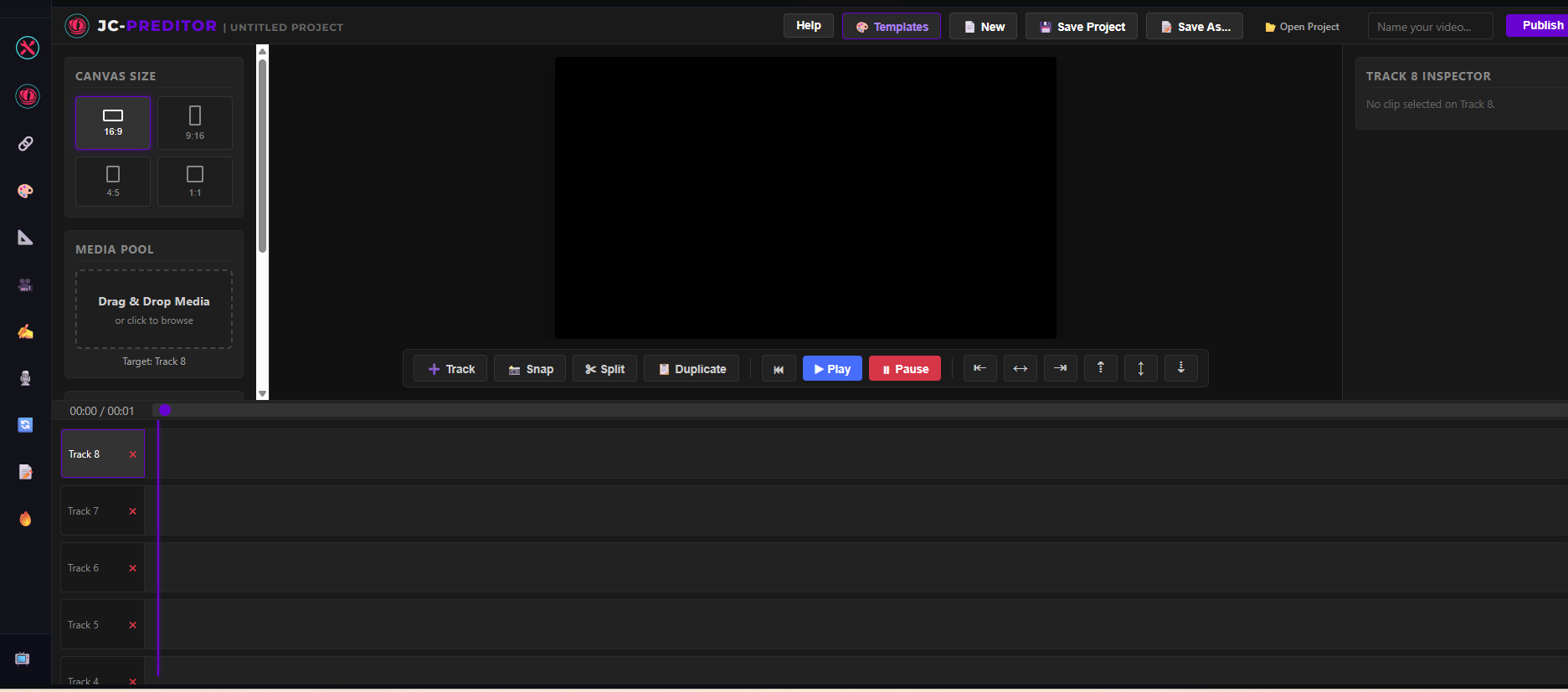
JC-Preditor uses rock-solid, next-generation web technology to ensure that never happens. When you hit "Publish," the engine calculates your video perfectly, frame-by-frame. The result is a smooth, high-quality, glitch-free export every single time, regardless of how complex your timeline is or how old your computer might be. It just works.
🔒 Is it safe? 100% Private & Fully Local Video Editing.
Your files are your business. Because JC-Preditor relies on your machine to do the heavy lifting, nothing is ever uploaded to a cloud server.
When you save your work, the app bundles your timeline and all your media into a single project file saved directly to your hard drive. You own your project files, your media stays private, and you can load everything back into the editor instantly—even without an internet connection.
Does it work for different platforms?
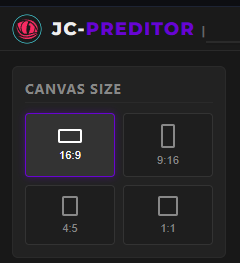
Creating content for YouTube, TikTok, and LinkedIn used to mean rebuilding your project three different ways. JC-Preditor features a smart, responsive canvas that does the heavy lifting for you.
With a single click, you can switch your video between:
-
16:9 (Standard Widescreen)
-
9:16 (Vertical Shorts/Reels)
-
4:5 (Portrait Feeds)
-
1:1 (Square)
The engine automatically recalculates and shifts your clips so your background elements are never clipped or distorted.
🎬 Pro Tools Without the Bloat
JC-Preditor is designed for pure speed. We packed the Inspector panel with the exact tools you actually need to make your videos pop, without burying them in endless sub-menus:
-
Instant Green Screen: Remove backgrounds in seconds with a custom color picker and easy cleanup sliders.
-
Automated Animations: Forget tedious manual keyframing. Apply cinematic pans, zooms, or dynamic loops (like Pulse, Bounce, and Shake) directly from a dropdown menu.
-
Built-in Elements: Generate multi-line text blocks with custom fonts and bold background boxes, or drop in crisp vector shapes natively.
🎨 One-Click Project Templates
Staring at a blank canvas can kill your momentum. That is why V1.0 introduces the Template Library.
Just click the "Templates" button to browse a library of pre-built, high-impact motion graphics setups—like a fast-paced film strip showcase or a dynamic Social Review Reel. With a single click, the app builds the entire timeline for you. Just swap out the placeholder videos with your own footage, type in your text, and hit export.
Ready to start creating? TheJC-Preditor V1.0 web application is now live and free to use. Drop in your media, add some motion, and experience what browser-based editing was actually meant to feel like.