Introducing SnapCut Video Editor:
Precision Control, Motion Tools, and Easy to use
We’ve been working hard behind the scenes on SnapCut Video Editor (formerly known as JC-Preditor)
It's faster, more powerful, and significantly more flexible for creators, teacher, student, hobbyists, and today, we’re thrilled to unveil our latest release—packed with workflow improvements, advanced motion controls, and a complete brand refresh.
Our number one goal with this video editor is to make it easy to use. You don't have to install it on your PC because it runs directly in your browser. All the tools are easy to use so you don't have to spend hours trying to learn a new software. Best of all, it's 100% FREE!
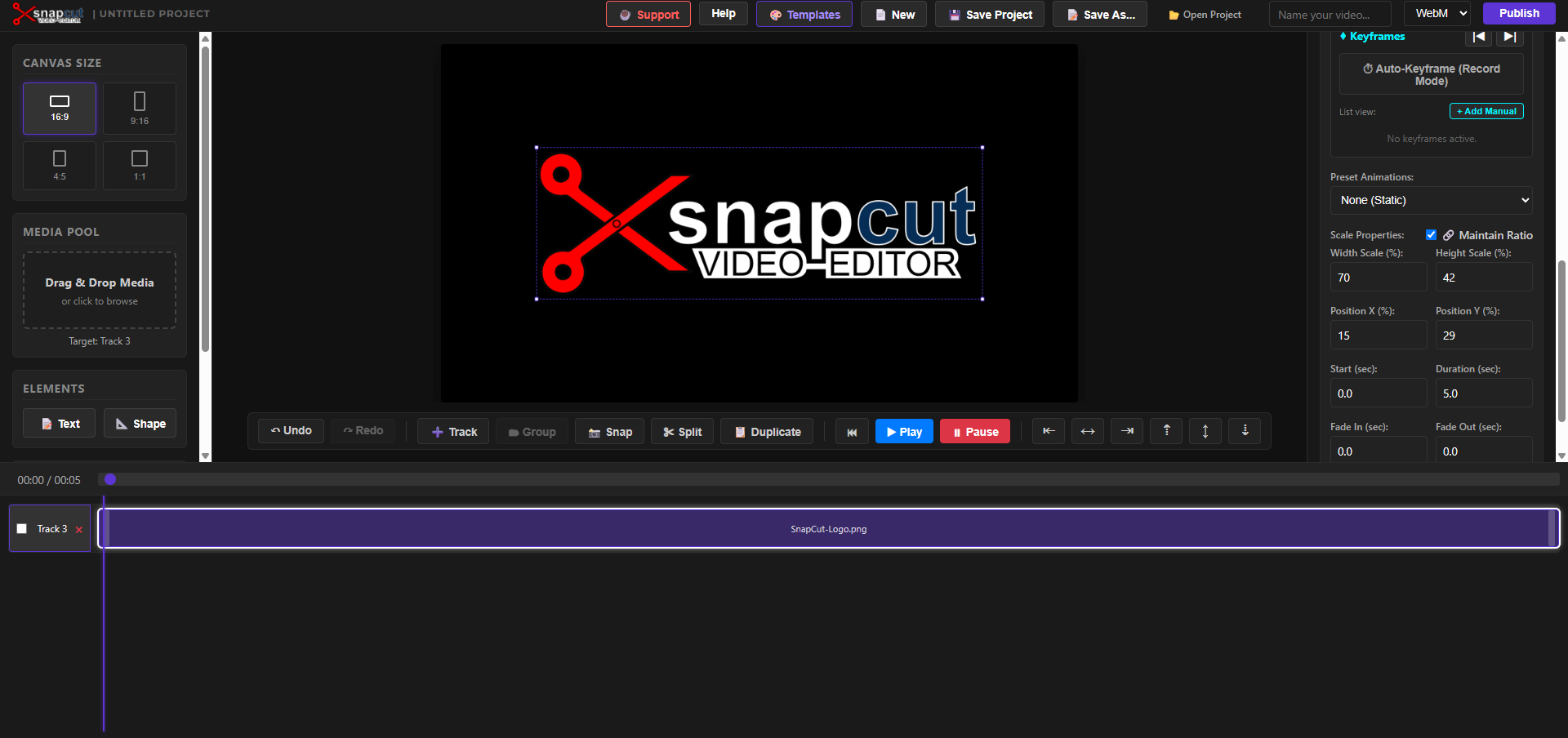
Here is a breakdown!
What’s New in SnapCut
1. Advanced Math Calculations
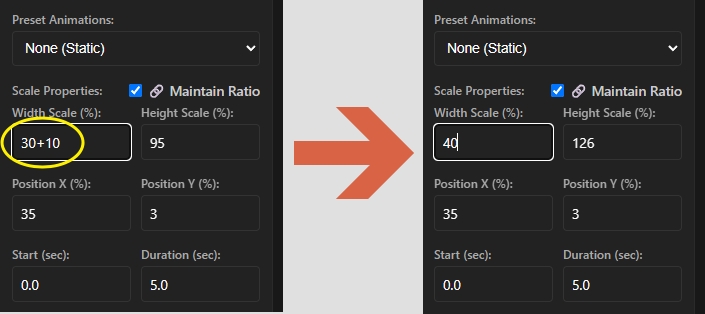
Tired of manually adjusting sliders to line things up perfectly? You can now type direct math operations into numeric property fields. Adding +3 to a position or scaling down by *0.5 works instantly in-line. Press Enter or click away, and SnapCut handles the math for you.
Any math function will work, that means:
- addition
- Subtraction
- Multiplication
- Division
2. Full Undo / Redo Support
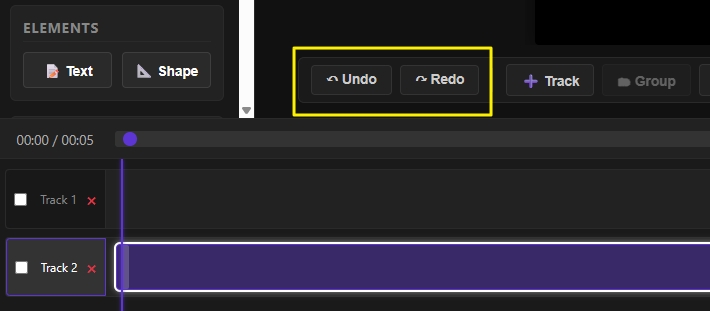
Mistakes happen, and rapid experimentation is a huge part of video editing. SnapCut now fully supports standard undo and redo keyboard shortcuts:
- Undo: Ctrl + Z
- Redo: Ctrl + Shift + Z
Use the buttons in the app or the standard keyboard shortcuts.
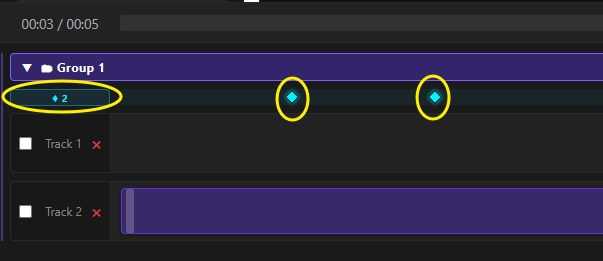
3. Group Tracks ( and Keyframe them)
We've added a powerful grouping feature to the app so you can take control of complex scenes.
You can now group multiple tracks together and animate their parameters collectively.
Grouping lets you make multi-layer transitions and complex motion graphics easier to manage.
Now you can create almost any animation you can think of quickly and accurately and apply it to multiple tracks within a group.
4. Rotation for Clips, Images, Text, and Shapes
Rotation isn't just for video clips anymore.
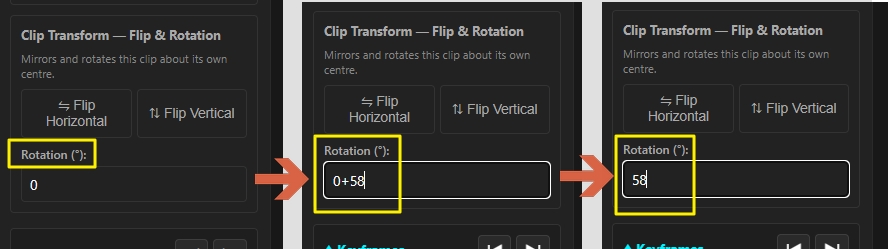
Now you can now rotate text, vector shapes, images, and video clips directly from the properties panel with smooth canvas rendering.
You have ultimate control because everything is controlled from the properties window so there is no more guessing.
Want to rotate an element two times to the right, no problem just enter 720 in the rotation field. Want to go in the other direction, just enter -720.
It's that easy. Not good at math, use the power of the app. Rotating an element five times is as simple as entering 360*5 or also as 1800(360*5).
5. Horizontal & Vertical Flipping
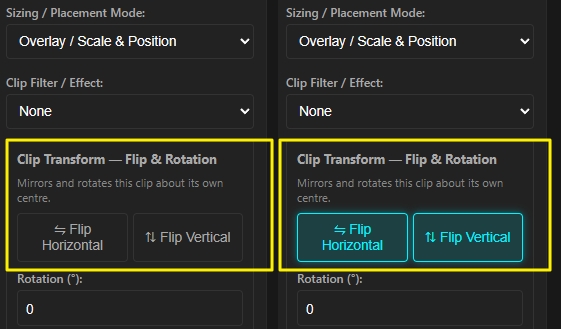
Quickly mirror your visual assets with one-click Flip Vertical and Flip Horizontal controls. Available across clips, images, text blocks, and shapes.
Want to create a spinning coin, no problem just combine the vertical flip with the the width scale and you can spin any object.
Create mirror image, reflection in a pond, shadow effects and so much more.
6. Custom Naming for Groups and Tracks
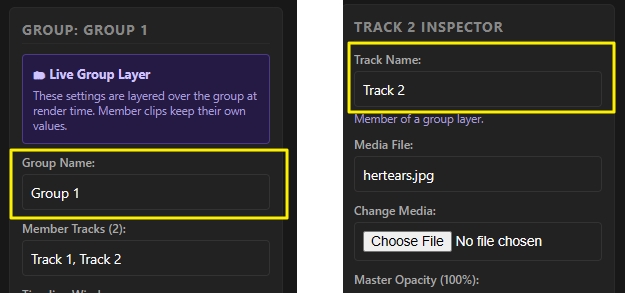
Keep your timeline organized during heavy edits. You can now rename individual tracks and groups to keep track of your dialogue, visual effects, overlays, and graphics easily.
No more guessing which track or group holds a particular asset. Name them whatever you want, "Background", "Spinning Text", "Buttons", whatever you want.
A Bold New Look & Brand Identity
Along with these feature updates, we are officially updating our brand identity! We’ve refreshed the logo with a sharp, high-contrast design featuring bold red editing scissors paired with clean, modern typography.
This new visual direction reflects what SnapCut is all about: quick, precise cuts combined with powerful modern editing features.